Roku Express 4K+ Review
Ready to Buy?
Check the latest price and availability
While Google and Amazon fight over whose streaming interface can show you the most ads, Roku quietly keeps making the cleanest, simplest streaming experience. The Roku Express 4K+ proves you don't need to spend $50+ for premium 4K streaming.
Design & Setup
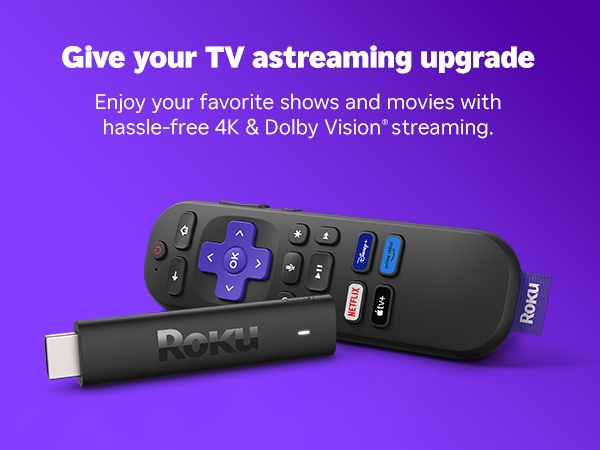
The Roku Express 4K+ is a small black box (3.4 x 1.4 inches) that connects to your TV via HDMI. It's not winning any design awards, but it hides behind your TV so it doesn't matter. The included HDMI cable is a nice touch.
Setup is Roku's strong suit. Plug it in, connect to Wi-Fi, sign into your Roku account, and you're streaming in under 5 minutes. No confusing menus, no unnecessary steps. It just works.
The Roku Interface
This is where Roku truly shines. Unlike Fire TV (which pushes Amazon content) or Google TV (which pushes YouTube), Roku's home screen is a clean, neutral grid of your apps. No algorithmic recommendations you didn't ask for, no auto-playing trailers — just your apps, organized how you want them.
The universal search is excellent. Search for any movie or show, and Roku shows you every app that has it, sorted by price (free options first). This alone saves money over time.
4K HDR Performance
For $39.99, you get genuine 4K resolution with HDR10+ and Dolby Vision support. That's the same visual quality as streaming devices costing twice as much. In our testing, 4K content on Netflix, Disney+, and Apple TV+ looked fantastic.
The dual-band 802.11ac Wi-Fi is a meaningful upgrade over cheaper streamers. We experienced zero buffering during 4K streams, even on a moderately busy home network. The device also handles 1080p content beautifully if you're using it on a non-4K TV.
Remote & Voice Control
The included remote has TV power and volume buttons, so you can control everything with one remote. There's a voice search button for Roku's voice assistant, plus shortcut buttons for popular streaming apps.
Voice search works well for finding content, though it's not as full-featured as Alexa or Google Assistant for smart home control. For a streaming remote, it does exactly what you need.
App Library
Roku has the largest app library of any streaming platform. Every major service is here: Netflix, Hulu, Disney+, HBO Max, Apple TV+, Peacock, Paramount+, YouTube, and hundreds more. You'll also find free ad-supported channels through The Roku Channel, which is a nice bonus.
Should You Buy It?
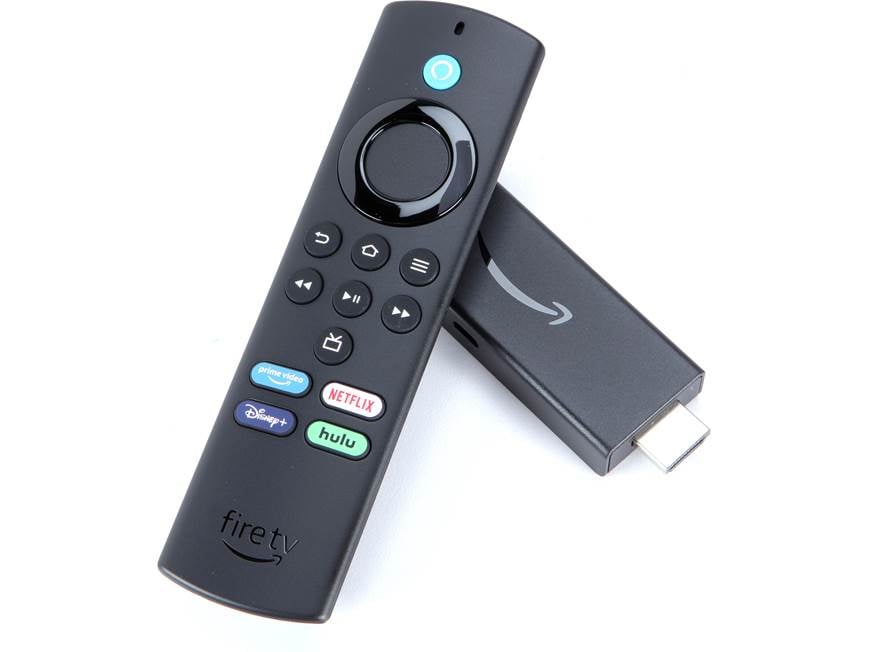
The Roku Express 4K+ is the streaming device I recommend to everyone. It's $10 more than the Chromecast HD but gives you 4K and Dolby Vision. It's $10 less than Fire TV Stick 4K Max but with a cleaner interface. For $39.99, it's the sweet spot of price, performance, and simplicity.
Pros & Cons
Pros
- • True 4K HDR and Dolby Vision for under $40
- • Cleanest, most neutral streaming interface — no ads pushing one service
- • Dual-band Wi-Fi for faster, more reliable streaming
- • Voice remote with TV power and volume controls
- • Massive app library — every streaming service available
Cons
- • No Dolby Atmos audio support
- • Remote lacks headphone jack (available on Roku Streaming Stick 4K)
- • Hardware design is plain — just a black box
- • No built-in smart home hub features
The Verdict
The Roku Express 4K+ is the best value streaming device in 2026. For $39.99, you get 4K HDR with Dolby Vision, a clean interface that treats all streaming apps equally, and dead-simple setup. If you want 4K without the bloat, this is it.
Affiliate Disclosure: GadgetWiseReviews may earn a commission from purchases made through links in this article at no extra cost to you. This helps support our independent reviews.
You Might Also Like
Related Reviews

Get our free weekly deals roundup
Hand-picked tech deals, price-drop alerts, and buying guides — every week. No spam, unsubscribe anytime.